

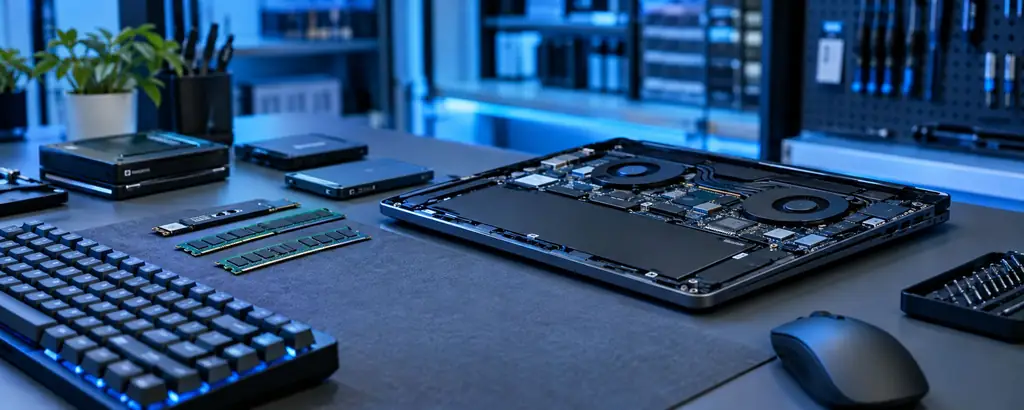
Computer & IT Hardware in Ghodasar, Ahmedabad
Smart IT checklist
Confirm upgrade compatibility and back up important files before repair or hardware changes.
Confirm what matters for your use before you decide.
Choose safe, reliable options that suit your setup.
Our team can explain options before you commit.
Upgrade Your Digital Workspace
Keyboards, mouse, pen drives, hard disks, SSDs, printers and PC parts for home, office and study — plus upgrades and setup help in the shop.
Faster, safer computers
Repair, upgrade and set-up for laptops and desktops
- 1
Diagnosis
We find out why it is slow, hot or not starting.
- 2
Upgrade or repair
SSD, RAM, keyboard, screen, battery and more.
- 3
Data kept safe
Your files are handled carefully, backup on request.
- 4
Speed tested
Boot time and performance checked before hand-over.
Get a Personal Recommendation in Seconds
Answer a few taps. Our AI suggests the right option, then send it to us on WhatsApp in one click.
Everything for Your PC & Laptop
Parts checked for your exact model.
SSD & Hard Disks
Speed up any old PC with SATA or NVMe SSDs.
Keyboard & Mouse
Wired and wireless combos, gaming optical mice.
Printers
Inkjet and laser printers, ink and toner.
RAM & Parts
DDR4 / DDR5 RAM and parts for laptops and desktops.
Computer & IT Hardware Available Now
Tap Inquire on any product to send us a WhatsApp message.
 IT Accessories
Keyboards, Mice & SSDs
Wireless desktop combos, gaming optical mice, high-speed SSDs, RAM upgrades & Wi-Fi dongles.
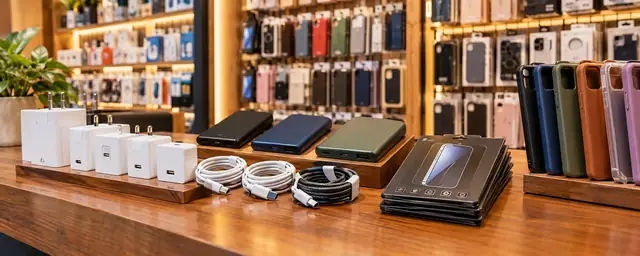
Laptop Chargers, Bags & Stands
Compatible laptop adapters and USB-C PD chargers, laptop bags, aluminium stands and cooling pads for long work hours.
SSD & RAM Upgrades
SATA and NVMe SSDs, DDR4 / DDR5 RAM for laptops and desktops — we help you check the right compatible part for your model.
Wi-Fi Routers & LAN
Dual-band and Wi-Fi 6 routers, range extenders, network switches, LAN cables and USB Wi-Fi / Bluetooth adapters.
Pen Drives & External HDD
USB 3.0 / Type-C pen drives, portable external hard disks and SSDs for backup, data transfer and office use.
Printers, Ink & Toner
Inkjet and laser printers, ink bottles, toner cartridges, printer cables and A4 paper for home and office.
SSD vs Hard Disk vs RAM
Which upgrade gives the biggest difference?
| Upgrade | What It Improves | Best For |
|---|---|---|
| SSD | Boot time, app opening, overall speed | Slow old laptops & PCs |
| Hard Disk (HDD) | Large storage at lower cost | Photos, videos, backups |
| RAM | Multitasking and heavy apps | Many tabs, editing, studies |
| Keyboard / Mouse | Comfort and typing speed | Daily office & study use |
Buy the Right Mobile & Laptop Gear
Quick expert tips so your charger, cable, earbuds, SSD or RAM matches your device the first time.
Fast Charger Match
iPhone fast charging needs a USB-C PD charger (20W or more). Samsung Super Fast Charging uses PPS (25W / 45W). OnePlus, Oppo & Realme need their own SUPERVOOC / Dash charger for full speed.
Choose the Right Cable
Pick a cable rated for your charger: 3A for normal fast charging, 5A / 100W (e-marker) for high-watt phones and laptops. Braided cables last longer.
Tempered Glass Types
2.5D for flat screens, 3D / UV glass for curved screens, privacy glass to hide your screen from others, and matte glass for gaming and less glare.
Power Bank Reality
A 10,000 mAh power bank gives roughly 6,000–7,000 mAh to your phone because of conversion loss. Choose 20,000 mAh for travel or two devices.
Earbuds Features
ANC blocks outside noise, ENC makes your voice clearer on calls, a low-latency game mode reduces delay, and an IPX4+ rating protects from sweat.
Memory Card Speed
Look for Class 10 / U3 / V30 cards for 4K video and Wi-Fi cameras. High-endurance cards are best for 24/7 camera recording.
SSD vs Hard Disk
A SATA SSD (~550 MB/s) makes an old laptop boot in seconds. NVMe SSDs (2,000–7,000 MB/s) are faster but need an M.2 NVMe slot. HDDs give cheap bulk storage.
How Much RAM?
8 GB for study and browsing, 16 GB for office multitasking and light editing, 32 GB for heavy editing and gaming. Check DDR4 / DDR5 and free slots first.
Laptop Charger Safety
Match voltage, wattage and pin size, or use a USB-C PD charger (65W+) if your laptop supports USB-C charging. Wrong chargers can damage the battery.
Better Wi-Fi at Home
Dual-band or Wi-Fi 6 routers handle more devices. Use 5 GHz for speed near the router, 2.4 GHz for distance, and a mesh or extender for big homes.
Mouse & Keyboard
Wireless combos keep your desk clean; gaming mice offer higher DPI and extra buttons. Mechanical keyboards last longer and feel better for heavy typing.
Keep Laptops Cool
Use a stand or cooling pad, keep vents clear and avoid using the laptop on beds or pillows. Heat is the main reason laptops slow down.
Upgrade Your PC in 4 Steps
Tell us the problem
Slow, hangs, low storage or noisy?
We check the system
Quick look at disk, RAM and health.
Choose the upgrade
We explain the cost and the benefit.
Install & test
Done in the shop with a working test.
Parts for Popular Laptop Brands
HP, Dell, Lenovo, Acer, ASUS and more — Windows PCs and laptops.
Frequently Asked Questions
Can you upgrade my old laptop?
Yes. A RAM or SSD upgrade can make an old laptop much faster. Bring it in for a quick check.
Do you sell printers?
Yes, popular inkjet and laser printers are available. Tell us your monthly print volume.
Do you help with setup?
We can install Windows, drivers and basic software on request.
Will my data be safe during an SSD upgrade?
We can copy your data to the new SSD. Keep a backup of important files too.
5.0 on GoogleMake an Old PC Feel New Again
Most slow laptops do not need replacing — an SSD or RAM upgrade usually gives the biggest jump in speed for the lowest cost.
Bring your laptop or PC to the shop. We check the model, the free slots and the disk health, then tell you exactly which upgrade is worth it.
- SATA & NVMe SSDs, DDR4 / DDR5 RAM
- Keyboard, mouse, webcam and headset for work from home
- Pen drives, hard disks and backup drives
- Printers, ink, toner and Wi-Fi routers
Your PC May Need an Upgrade If…
Keep Your Computer Healthy
Back up important files
Keep a copy on a pen drive, hard disk or cloud.
Keep vents clear
Use laptops on a hard surface, not a bed.
Use a surge protector
Protects your PC from voltage spikes.
Update Windows & drivers
Fixes bugs and security issues.
Do not fill the disk
Keep at least 15–20% space free for speed.
Clean dust yearly
Dust is the main reason for overheating.
Send a Quick Enquiry
Fill this in and it opens WhatsApp with your message ready to send.
- Reply during shop hours, 8 AM – 10 PM
- No spam — we only reply to your message
- Or call +91 83202 00842
Which Laptop Specs Suit Your Work?
Typical guidance — we adjust it to your exact needs.
| Use | RAM | Storage | Good to Know |
|---|---|---|---|
| School & office work | 8 GB | 256 GB SSD | Smooth for browsing, documents and online classes |
| Programming & multitasking | 16 GB | 512 GB SSD | Handles many tabs, editors and virtual machines |
| Photo & video editing | 16–32 GB | 512 GB+ SSD | A good display and graphics help a lot |
| Gaming | 16 GB | 512 GB–1 TB SSD | Dedicated graphics and good cooling matter most |
| Old laptop upgrade | Add RAM | Swap HDD for SSD | Often the cheapest way to make it fast again |
Wi-Fi & Network Tips That Actually Help
Better internet without buying a new plan.
Place the router in the open
Keep it high and central, away from walls, metal and the kitchen.
Use 5 GHz for speed
5 GHz is faster at short range; 2.4 GHz travels farther through walls.
Use a LAN cable for PCs and CCTV
Cable is steadier than Wi-Fi for desktops, NVRs and work from home.
Change the default password
Set a strong Wi-Fi and router password to keep neighbours and hackers out.
Restart and update
Restart monthly and update router software for stability and safety.
Need more coverage?
Ask us about range extenders, mesh Wi-Fi or a second access point.
Why Customers Trust Us
Local shop in Ghodasar, Ahmedabad with service across Gujarat.
Other Categories
Every category has its own page with products, guides and quick enquiry.


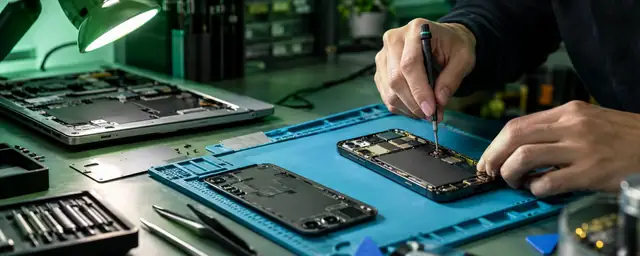
Make Your PC Fast Again
Bring your laptop or PC for a free check — we suggest the upgrade that makes the biggest difference.
Shop No.4, Shyamal Shopping Center, Smruti Mandir Rd, Ghodasar, Ahmedabad 380050 · Open daily 8 AM – 10 PM